
Account & billing
Self-serve billing and payment
Manage IsOn24 billing yourself: change your payment card, view payment history, and download invoices from the app.

It's finally here.
You will now be able to download past invoices and receipts and update your payment card information at any time. Open the IsOn24 app and go to Menu > Billing. By default, you will see your current plan.
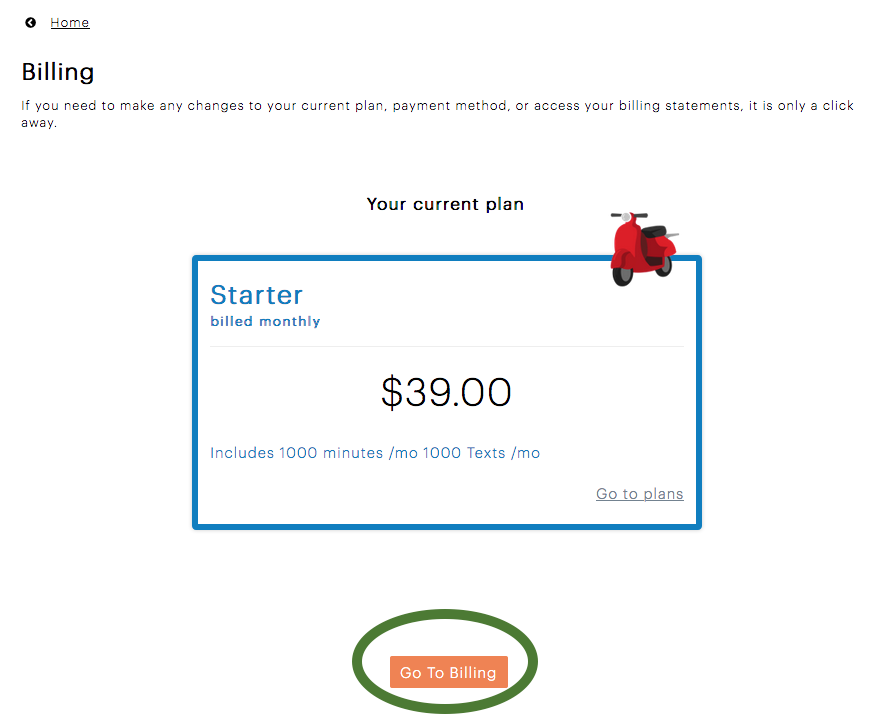
To change the payment card or to see the payment history, follow the circled button above to the detailed billing screen.
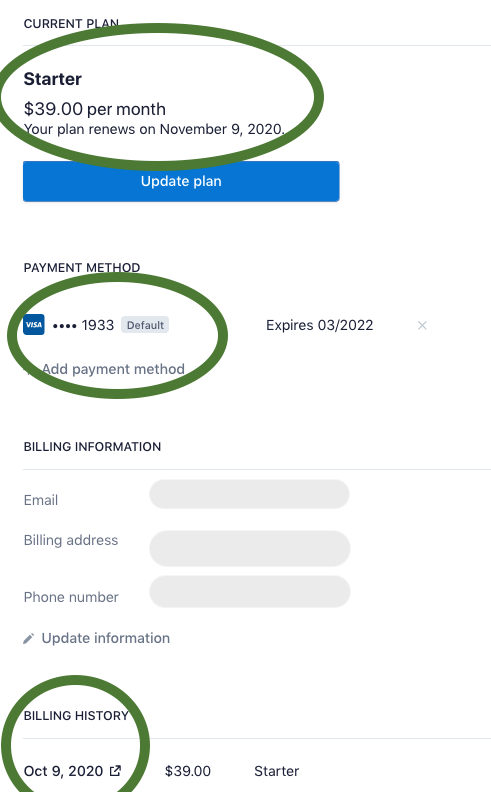
Please note that we will be migrating all the customers from the legacy system to the new system over the coming few weeks.
Let us know if you have any questions here.